
Product Description
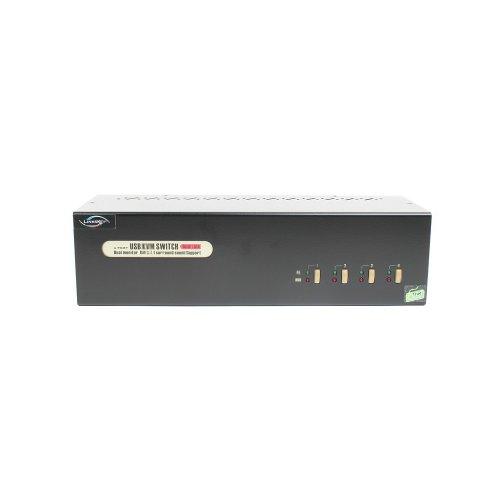
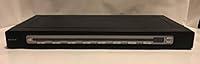
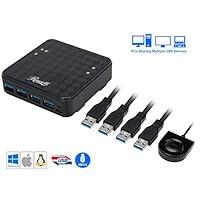
2 Port Dual Monitor KVM Switch Displayport 4K@60Hz
2 computers share one set of keyboard, mouse and 2 monitors
Dual monitors output support extended and mirrored display
Switching modes: Button switch and wired remote
Support wired or wireless keyboard and mouse
With extra USB 2.0 HUB and audio support.
Support max up resolution 4K@60Hz,downward compatible.
Support Displayport 1.2 standard
Installation Proceedures:
Power off everything before installation;
Computer 1: Connect 2 DP outputs from computer 1 to DP IN 1 A and DP IN 1 B ports; Connect USB A-male to USB 3.0 port on computer 1, and USB B-male to USB 1 input on the KVM switch;
Computer 2: Connect 2 DP outputs from computer 2 to DP IN 2 A and DP IN 2 B ports; Connect USB A-male to USB 3.0 port on computer 2, and USB B-male to USB 2 input on the KVM switch;
Primary Monitor: Connect primary monitor to DP Out A;
Extended Monitor: Connect extended monitor to DP Out B;
Keyboard and Mouse: Connect keyboard and mouse into USB keyboard and mouse port respectively;
Connect USB peripherals to USB 2.0 ports if needed (optional);
After cables being connected, power on the kvm switch first, then monitors, then computers.
3 USB 2.0 Ports
Dedicated mouse & keyboard ports have emulation programming.
Compatible with keyboards, mice and printer
Important Note:
Most of the reasons why only one video output works is because of incorrect connection. Please make sure each computer have 2 DP cables connect to the KVM.
If it is normal working, then there is a sudden failure, please unplug all the cables and plug again.
What's in the Box:
(1) 1x DisplayPort KVM dual monitor Switcher
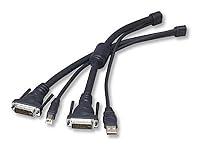
(2) 2x USB A to B Cables
(3) 1x User manual
(4) 1 x switch button cable
(5) 1 x power adapter
Product Information
- [Displayport KVM Switch Dual monitor 2 Computers] Displayport KVM Switch can control control 2 computers with only 1 set of keyboard and mouse, and 2 monitors mirror the main desktop or extended desktop of the computer. NOTE: It requires each computer has 2 video output interfaces and support extended display, otherwise this dual monitor DP kvm can not be realized dual monitor extended display.
- [Dual Monitor Displayport KVM 4K@60Hz] Enjoy high resolution max up to 4K@60Hz, and also supports 4K@30Hz, 3D and 1080P@60Hz or other lower resolution (Downward Compatible). Complies with the DP 1.2 standard. Note: Only when both your computer Graphics card and monitor support 4K@60Hz then you can get 4K@60Hz effect.
- [Button KVM Switch and 3 USB2.0 ports] The Dual Monitor Displayport KVM has a one button switch function, and it only takes 2-4 seconds to switch to another computer. There are 3 USB 2.0 ports to share U disk, printer, webcam, etc. Displayport dual monitor kvm switch also supports separate audio and microphone output.
- [Displayport KVM Dual Monitor With Wide Compatibility & Two switching methods] KVM Switch Dual Monitor Displayport support multiple operation systems & devices: Fully compatible with Windows 10/7/2000/XP/ and Mac. 2 convenient switch modes: 1. Toggle selection on front panel; 2. Wired remote switch (one-touch switch). Note: The KVM does not support hotkey switch.
- [Package] The product package comes with 1 Dual Displayport KVM Switch, 2 Type-B cables, 1 controller, and 1power adapter. Please make sure that a total of 6 DP cables + 2 Type-B cables on the KVM are correctly connected. Therefore, if you encounter any problems during the use of this product, please do not hesitate to contact.